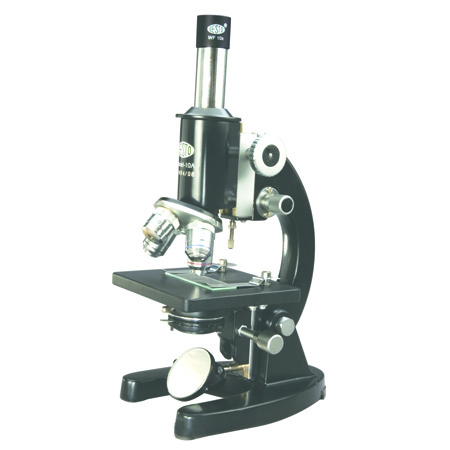

DIGITAL USB CMOS MICROSCOPE CAMERA Model BM-210
- Product Code : 7070
- Category : Microscope
- Availability : In Stock
-
Tags
FEATURES :
• 2.0 megapixels with progressive scanning CMOS image sensor.
• No compression, no interpolation.
• Support still image capture(JPG,BMP)
• Standard C-Mount makes connection to any microscope easy. Macro lens setups are also supported.
• Resolution: 1600 X 1200 (8bit);
480 Mibt/Sec, DC5V±5%
• Pixel size : 3.4μm X 3.4μm.
• Frame Rate10fps @1600 x 1200
• 30 fps@640 X 480 Auto White Balance.
• Shutter Electronic10μs—ms,Auto exposure
• Operating Temp: 0°C ~ 60°C
Turn any microscope into a digital microscope with digital USB CMOS microscope camera of model BM-210 (2 mega pixels) & BM-510 (5 mega pixels).
We are supplying above two cameras with latest Calliper plus Software whose details are given below.
Only cameras with software will be supplied but without microscope & laptop.
DETAILS OF CALLIPER PLUS SOFTWARE
The software if powerful for acquiring , storing retrieving any image. It handles different image formats BMP, TIFF, IMG, IMF, GIF, PCX, JPEG, PIC. It supports many cameras, frame grabbers and other USB-2 & Twain input devices.. Cut , copy, paste, Selected Copy by free hand AOL, controlled by four arrow key available in keyboard and mouse with zoom preview. Flood fill or spray with selected color are selected portion. Drawing tool curve, line square and circle, with node control and provision to change color and thickness of the line. write text in any color or font. Pointer to place on an object in four directions with provision to change color and thickness. Eraser works only on lines, arrows or any drawing tool. (Not on original image). Useful to merge different focuses on same image.
(A) Spairtial calibration
(b) Line measurement for distance .Length, width, perimeter, angle, Three point radius
(C) Area by enclosed line control by four arrow keys available on the keyboard arrow with zoomed preview. The line measurement is not effected on zoomed images.
Reporting has three options :
• Direct print out digital image and tabular result.
• Export to MS Office
• Excel for further modification.